
Building forms should feel simple from start to finish. Every click should help you move faster, not force you to hunt through different blocks and settings.
That is why we focused on improving the form-building experience in the latest releases of Gutena Forms.
Today, we are excited to announce Gutena Forms Free v2.0.0 and Gutena Forms Pro v1.4.0. These updates introduce a redesigned Form Field UI and a smarter editing workflow that makes creating and managing forms much easier.
What’s New in Gutena Forms v2.0.0 and Pro v1.4.0?
This release includes two major improvements:
1. New UI for Form Fields
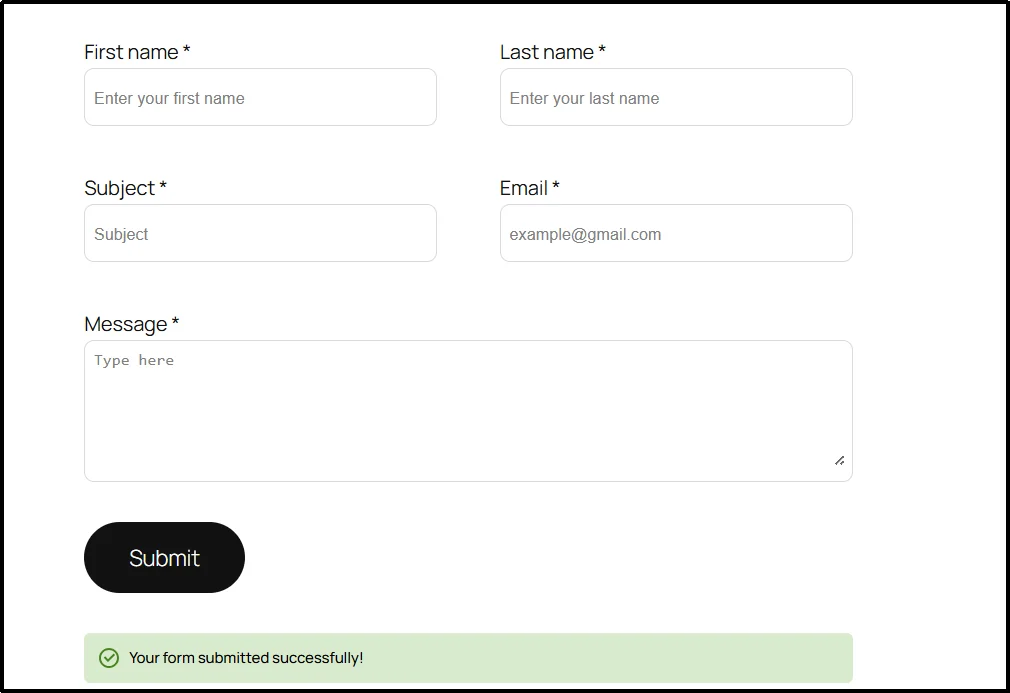
We redesigned the Form Field interface to create a cleaner and more intuitive editing experience.
The new layout helps you identify form elements more easily within the editor. It also reduces visual clutter and keeps the focus on building your form instead of managing multiple nested blocks.
2. Form Labels and Fields Are Now Combined
This is the biggest usability improvement in this release.
Previously, Gutena Forms treated the Form Label and Form Field as separate blocks.
If you wanted to change a label such as “First Name” or “Email Address,” you first had to select the label block. Then you needed to switch to another block if you wanted to adjust field settings.
While functional, this process added extra clicks and made form editing slower than it needed to be.
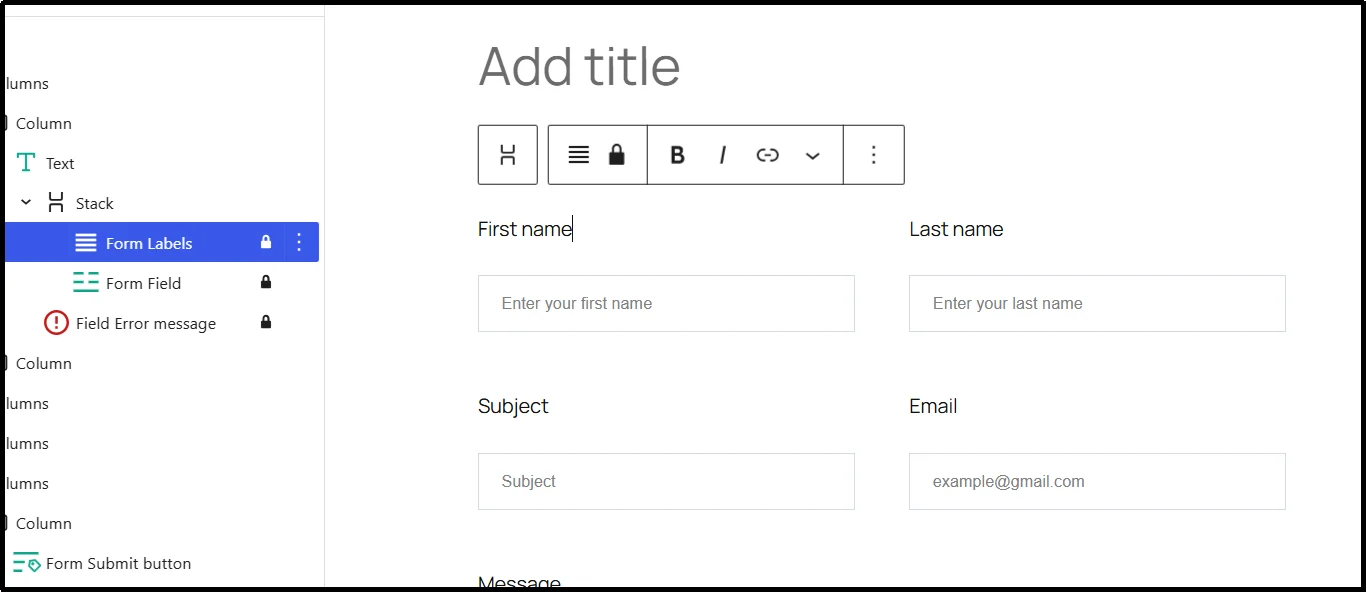
Now, we have restructured the editing experience by combining labels and fields into a single workflow.
When you select a form field, its label is selected as well.
This means you can manage everything from one place.
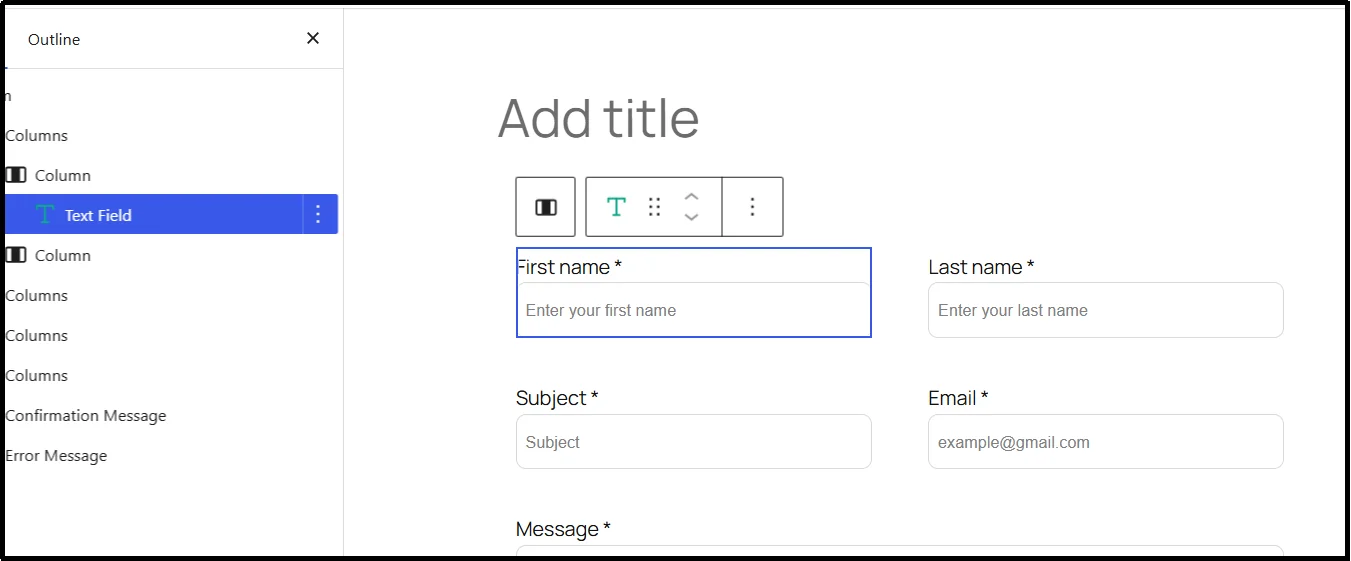
Before and After
Previous Experience
In earlier versions, form labels and form fields existed as separate blocks.
To update a label, you had to:
- Select the Form Label block.
- Edit the label text.
- Select the Form Field block.
- Configure field settings separately.
For forms with multiple fields, this process often required frequent switching between blocks.
New Experience
With Gutena Forms Free v2.0.0 and Pro v1.4.0:
- Select the form field.
- Edit the label from the right-hand settings panel.
- Adjust field settings from the same location.
- Continue building without switching between separate blocks.
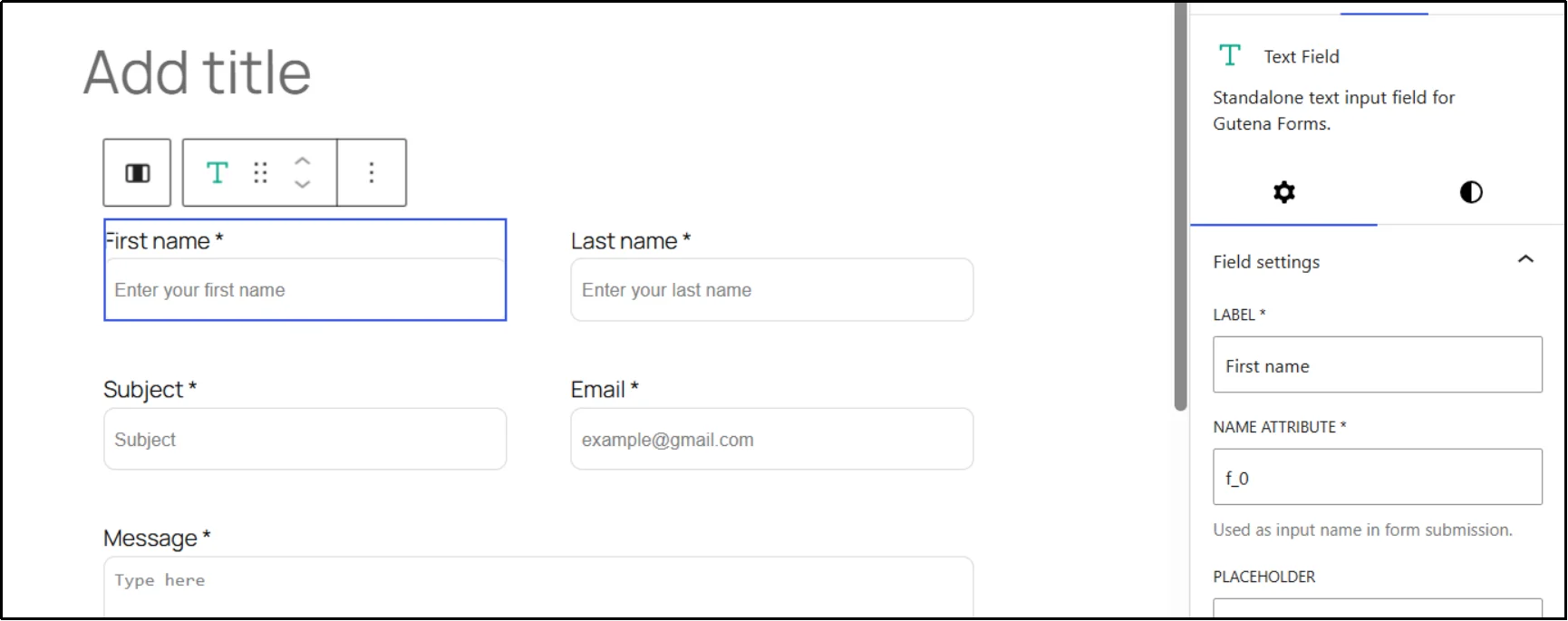
The result is a much smoother editing experience with fewer clicks and less confusion.
Why We Made This Change
We regularly review how users interact with Gutena Forms and look for opportunities to remove friction from the form-building process.
One common challenge was managing labels and fields as separate elements.
Many users expected labels to be part of the field itself. This is how most modern form builders work. Separating them created extra steps and made form editing feel more complex than necessary.
By bringing labels and fields together, we have:
- Reduced unnecessary clicks
- Simplified form editing
- Improved block management
- Created a cleaner editor experience
- Made forms easier to build for new users
Get Started Today!
For the new Form Field UI and unified label editing experience, update to the latest version today and experience a faster and more intuitive way to build forms in Gutenberg.
As always, we appreciate your feedback and support. We look forward to bringing more improvements and powerful features to Gutena Forms in future releases.